On-Page SEO Checklist: Complete Guide to Improve Website Rankings
Introduction
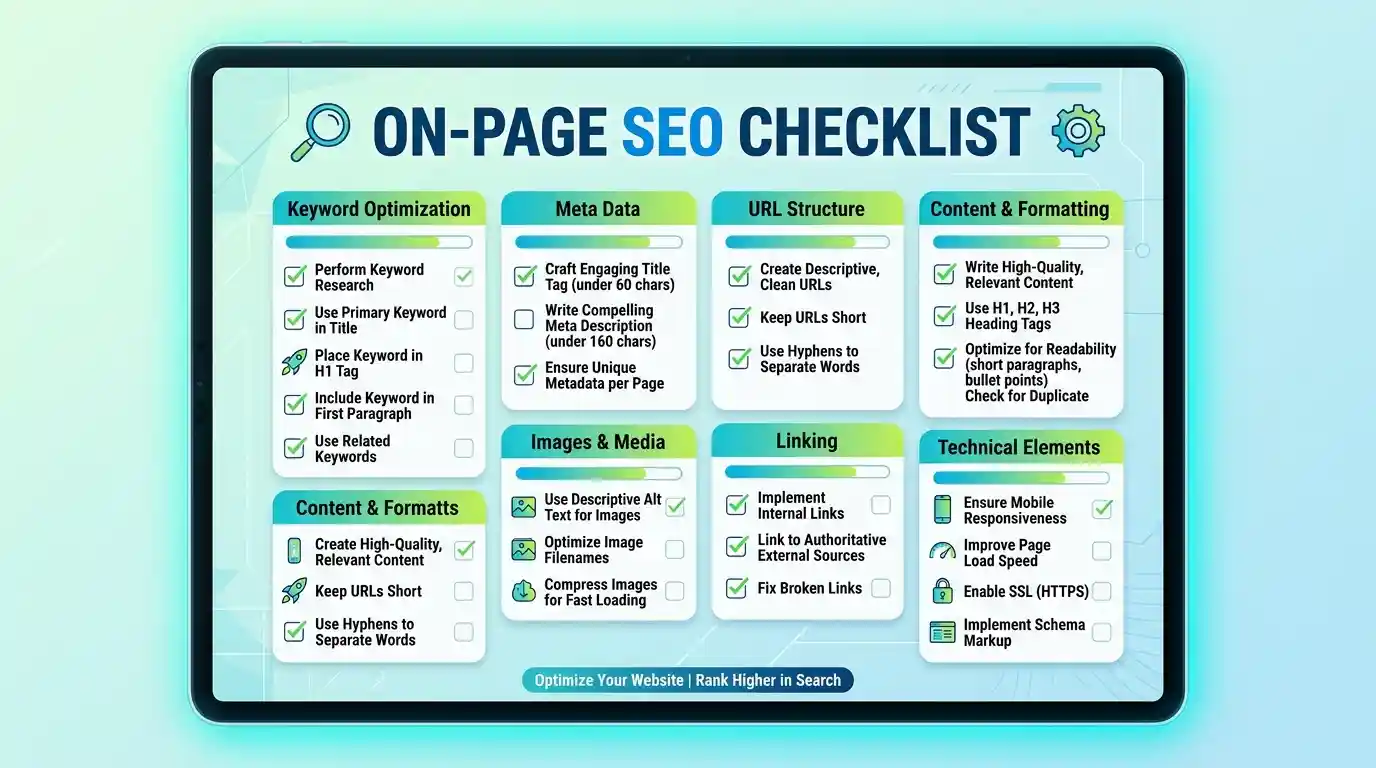
If you want your website to rank higher on Google and attract more organic traffic, On-Page SEO is one of the most important factors to focus on. On-Page SEO refers to the optimization techniques applied directly on your website pages to improve search engine visibility and user experience.
Whether you run a business website, blog, eCommerce store, news portal, or portfolio website, following a proper On-Page SEO checklist can help improve rankings and generate more traffic.
What is On-Page SEO?
On-Page SEO is the process of optimizing content, HTML elements, images, URLs, and website structure so search engines can better understand your pages.
The goal is to make your content useful for both users and search engines.
1. Use a Proper SEO-Friendly Title
Your page title should:
- Include the primary keyword
- Be clear and descriptive
- Stay within 50–60 characters
- Encourage users to click
Example:
On-Page SEO Checklist for Higher Google Rankings
2. Write an Effective Meta Description
A good meta description can improve click-through rates.
Best practices:
- Include your target keyword
- Keep it under 160 characters
- Explain the page content clearly
3. Use SEO-Friendly URLs
URLs should be short, readable, and keyword-focused.
Good Example:
yourwebsite.com/on-page-seo-checklist
Avoid long and confusing URLs.
4. Optimize Headings Structure
Use proper heading hierarchy:
- H1 for main title
- H2 for major sections
- H3 for sub-sections
Well-structured content improves readability and SEO.
5. Use Keywords Naturally
Place keywords in:
- Title
- URL
- Meta Description
- Introduction
- Headings
- Content
Avoid keyword stuffing. Write naturally for readers first.
6. Create High-Quality Content
Google rewards content that provides value.
Quality content should be:
- Original
- Informative
- Easy to understand
- Well-organized
- Regularly updated
Long-form content often performs better in search results.
7. Optimize Images
Images improve engagement but should be optimized.
Checklist:
- Compress image size
- Use descriptive file names
- Add ALT text
- Use modern formats when possible
Example ALT Text:
"On Page SEO Checklist for Website Optimization"
8. Add Internal Links
Internal linking helps visitors navigate your website and improves SEO.
Benefits:
- Better user experience
- Improved page authority distribution
- Faster indexing
Link relevant pages whenever appropriate.
9. Include External Links
Linking to trusted and authoritative sources can increase content credibility.
Use external links where they add value to readers.
10. Improve Website Speed
Page speed is a ranking factor.
Ways to improve speed:
- Optimize images
- Minify CSS and JavaScript
- Use quality hosting
- Enable caching
Fast websites improve both SEO and user experience.
11. Ensure Mobile Friendliness
Most users browse websites on mobile devices.
A mobile-friendly website provides:
- Better usability
- Higher engagement
- Improved rankings
Always test pages on different screen sizes.
12. Add Schema Markup
Schema markup helps search engines understand your content better.
Benefits:
- Rich snippets
- Better visibility
- Higher click-through rates
13. Optimize User Experience
Google values websites that provide a positive user experience.
Focus on:
- Easy navigation
- Readable fonts
- Clean design
- Fast loading pages
A satisfied visitor is more likely to stay longer and engage with your content.
14. Use Call-to-Actions
Every page should encourage users to take action.
Examples:
- Contact Us
- Get Started
- Download Guide
- Request a Quote
Effective CTAs improve conversions.
15. Regularly Update Content
Fresh content performs better over time.
Update:
- Statistics
- Examples
- Images
- Links
- SEO information
Keeping content current helps maintain rankings.